
Wi-Fi vs Ethernet: Which Is Better for Your Business?
A clear, jargon-free look at when wired Ethernet beats Wi-Fi and when it does not, so your North Wales business gets connectivity that actually fits how you work.
- Networking
- Wi-Fi
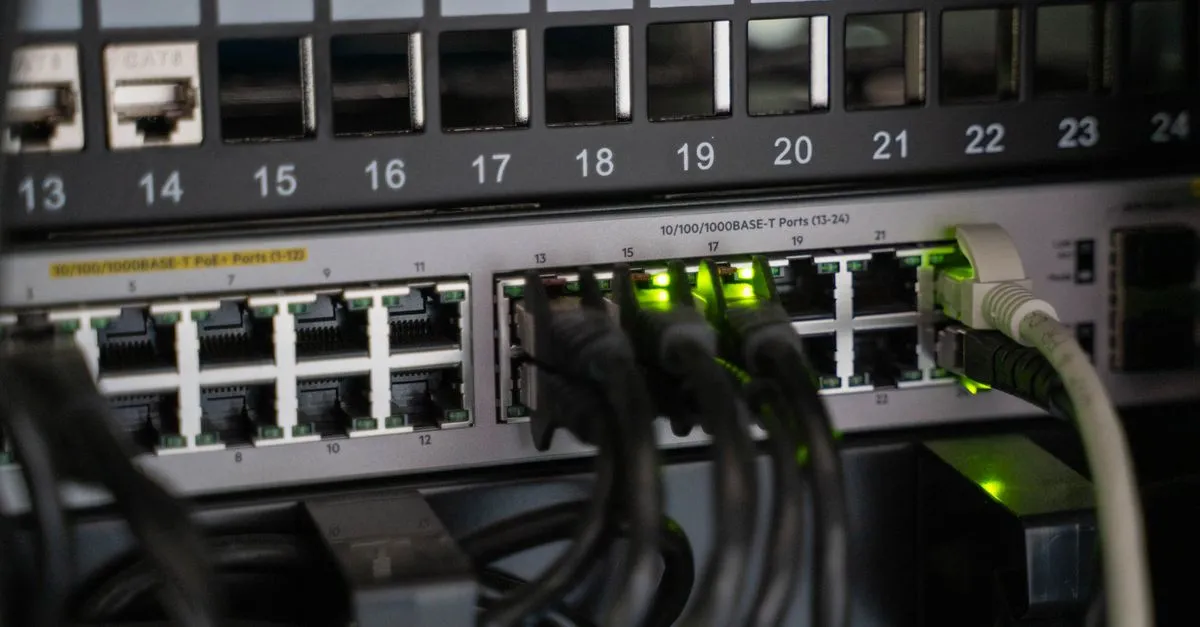
Few things grind a working day to a halt faster than a network that keeps dropping out. Video calls freeze, the card machine stops talking to the till, and files take an age to open. So when you are setting up an office, fitting out a new unit, or just fed up with patchy connectivity, you face a basic question: should you rely on Wi-Fi, run wired Ethernet, or use a mix of both?
There is no single right answer. The best choice depends on how your business actually works. Here is a straightforward guide to help you decide.
What each one is good at
Both Wi-Fi and Ethernet do the same job, which is to connect your devices to your network and the internet. They just go about it differently, and each has clear strengths.
Wi-Fi: flexibility and freedom
Wi-Fi connects devices wirelessly, which is its whole appeal. Staff can move between desks, meeting rooms, the shop floor, or a workshop without being tethered to a socket. Laptops, phones, tablets, card readers, and most modern equipment expect to connect this way.
Wi-Fi really comes into its own when running cables is difficult or simply not allowed. Listed buildings, rented premises where you cannot drill through walls, and large open spaces are all classic cases. A well-designed wireless network covers these comfortably, and where there is no decent broadband at all, options like 4G or 5G can fill the gap.
The trade-off is that Wi-Fi shares the airwaves. Thick stone walls, distance, and interference from other devices can all slow it down, so coverage needs designing properly rather than plugging in a single router and hoping.
Ethernet: stability and speed
Ethernet is a physical cable running from your device to a network switch. Because it is a dedicated, wired path, it tends to be faster, more consistent, and lower in lag than wireless.
That stability matters when the work depends on it. If your team moves large files all day, runs servers, handles real-time systems, or simply cannot afford a desk that drops out mid-call, a wired connection is the dependable backbone. Fixed kit that never moves, such as desktop PCs, printers, tills, and the Wi-Fi access points themselves, is almost always best wired in.
Ethernet also gives you a little more control over security, because someone has to physically plug in to get on a wired port, whereas wireless signals travel beyond your walls. That said, a properly configured wireless network with strong encryption and a separate guest network is perfectly secure for the vast majority of businesses, so this is rarely the deciding factor on its own.
One more practical point: cables cost money to install but almost nothing to run, and they last for years. A good structured cabling job done once, when you fit out a space, quietly pays for itself by giving you fast, reliable connections everywhere you need them without ongoing fuss.
So which should you choose?
For most businesses the honest answer is both. The two technologies are not rivals so much as partners.
A typical sensible setup looks like this:
- Wired Ethernet to the fixed, demanding kit: desktops, servers, printers, point-of-sale, and the cabling that feeds your Wi-Fi access points.
- Well-placed Wi-Fi for everything that moves: laptops, phones, tablets, and visitors.
- A separate guest network so customers and visitors never touch your business systems.
Get the wired backbone right and your Wi-Fi has something solid to stand on. Skimp on the cabling and even the best wireless kit struggles.
Getting the design right matters more than the label
The mistake we see most often is treating connectivity as an afterthought: a cheap router in a cupboard and a couple of plug-in boosters dotted about. It might limp along, but it rarely copes once the business grows or the building gets busy.
A bit of planning up front saves a lot of frustration later. That means thinking about where people actually work, where the dead spots are, how much demand the network needs to handle, and how to keep guest traffic separate from your sensitive systems. Proper Wi-Fi, networks, and cabling work is what turns “it usually works” into “it just works”.
If you would like to see this done well in a genuinely tricky setting, have a read of how we brought reliable Wi-Fi to a remote lakeside fishery and campsite. It shows what thoughtful network design can achieve even with no decent broadband for miles.
How we can help
Whether you need a single office sorted, a whole building cabled, or expert advice on the right balance of wired and wireless, we design networks around how your business actually runs. That work sits alongside our wider managed IT support, so once your connectivity is solid we can keep an eye on it and step in quickly if anything goes wrong.
Not sure what you have or whether it is up to scratch? Our free IT review includes a look at your network, and you are welcome to get in touch for friendly, no-pressure advice on what would suit you best.
Connectivity should be something you never have to think about. Get the foundations right, wired where it counts and wireless where it helps, and that is exactly what you get.
Want this checked for your own business?
Book a free IT review, a straightforward, no-obligation review of where your IT stands.
Book your free IT review